Verifying your agency has all required billing codes added:
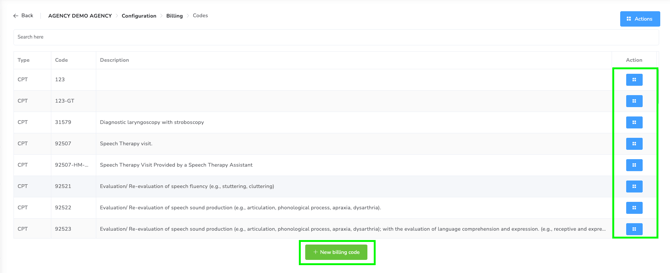
1. Head over to your billing configuration, this is accessible by going to your Agency Dashboard > Configuration > Billing and select "Billing codes"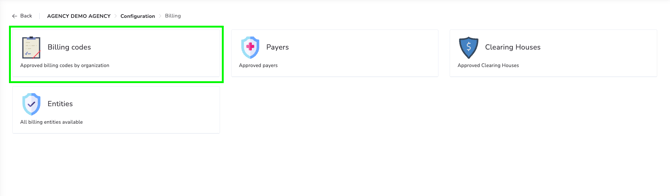
2. From here you will be able to see the list of billing codes currently available for your Agency. You can modify and edit any billing codes from this page, as well as add additional ones if required.
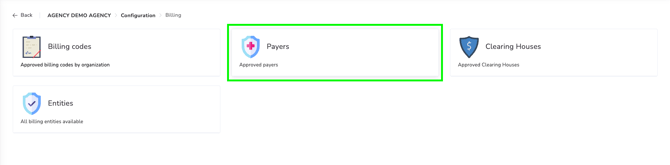
3. Now you can head back to the billing configuration page and go into the "Payers" section.
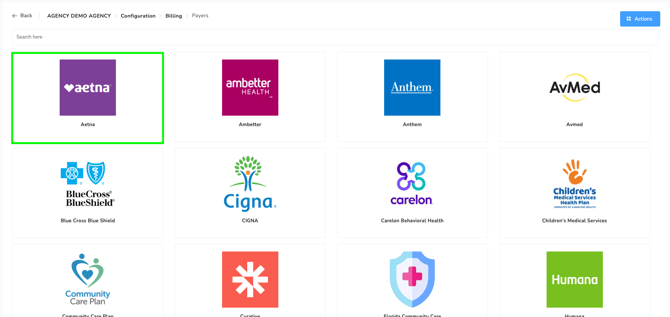
4. You will need to do this set up for all of the payers that you utilize within your Agency, but for this example we are going to be editing Aetna. Select Aetna (or whichever Payer you want to modify), and then select the green editing pencil next to the health plan.
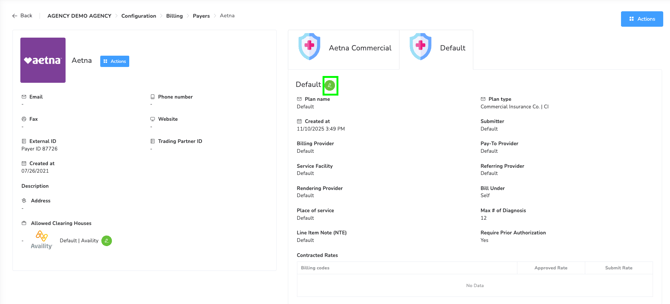
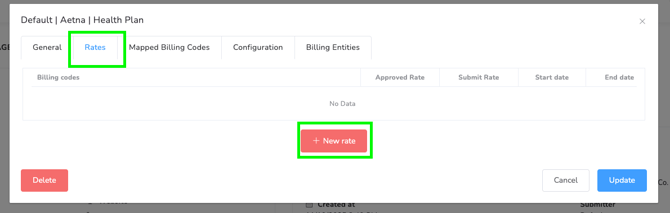
5. This will open up the editor for this specific health plan, next you will want to click on the "Rates" tab and click "New rate".
6. In this window, you will select the specific billing code (or multiple, only if they use the same pay rate), and add in the required information. You can then click "create". You will need to do this for every billing code that you are planning to use under this insurance, make sure to include any billing codes with modifiers as well. 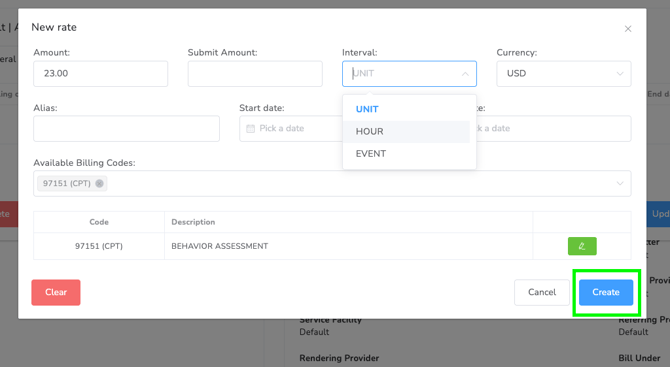
Once you've added in all of your rates for the payer you are working with, these billing codes and specified rates are ready to utilize in your clients prior authorizations.
Creating a Prior Authorization for your client:
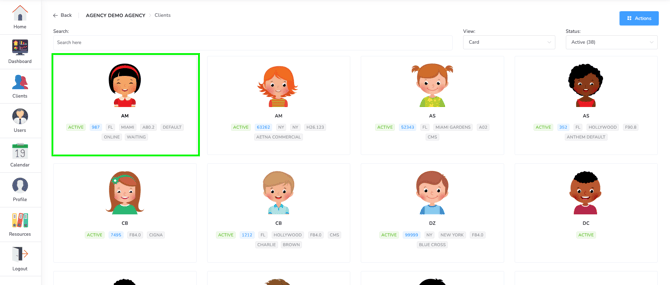
1. Head over to the clients section and select the client you wish to manage, this will open their profile and you can select the "manage" option.
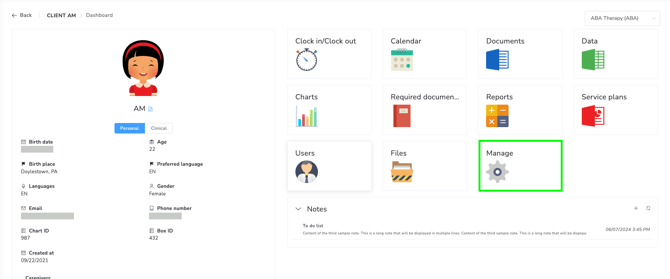
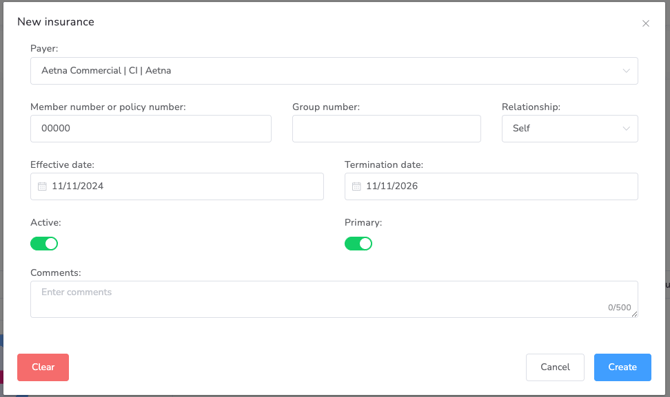
2. First you will want to make sure that the insurance the client works with is added to their profile, head over to the Insurances tab and select the proper insurance and fill out the appropriate information. 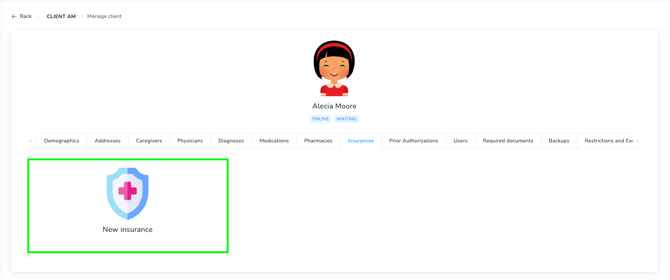
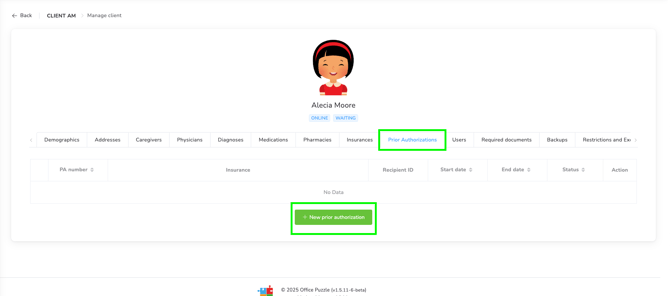
3. Once that is done, you can go ahead and create the Prior Authorization. Go to the Prior Authorization tab and click "New Prior Authorization". Fill out the appropriate information on the General tab.
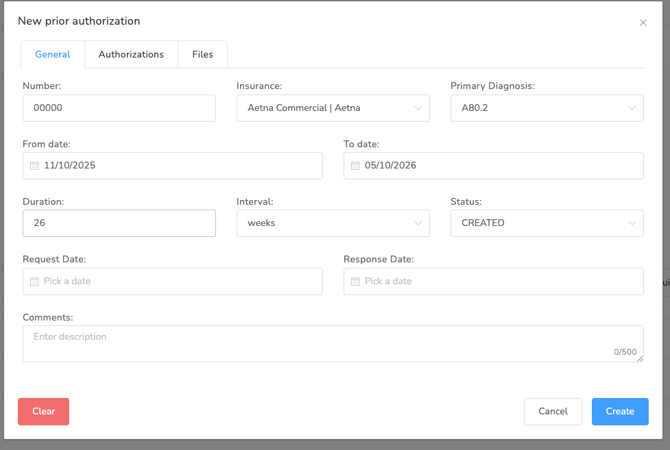
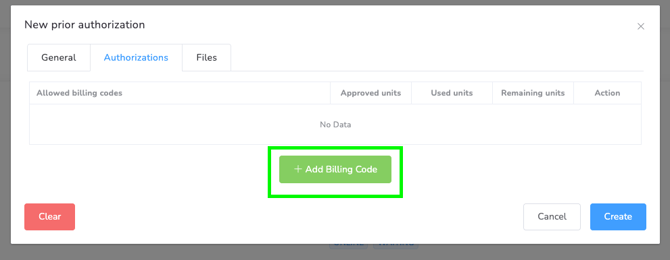
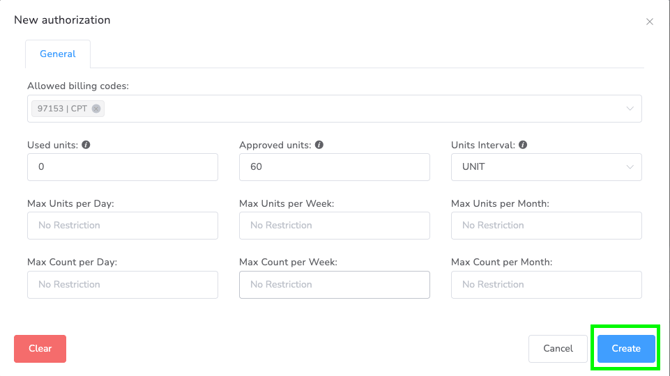
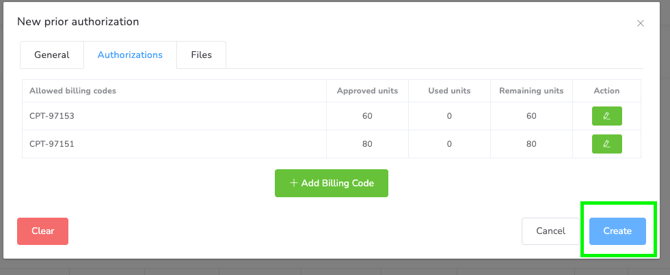
4. Next click on the "Authorizations" tab, this is where you can add the approved billing codes and the amount of allowed units. You will want to individually add each billing code following the same steps. Once you've added everything, you can click "create" to finish.