
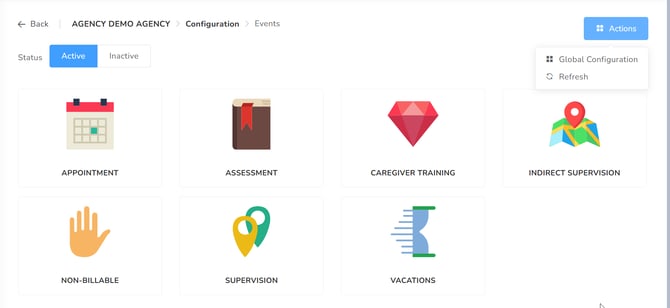
In this section, you can review the different Events you would need.
The 'Actions' dropdown menu contains several administrative functions, allowing users to modify the Global Configuration or update the view via the Refresh command.
In Global Configuration, general rules and restrictions are configured for the agency that influence all events as well as each one individually.
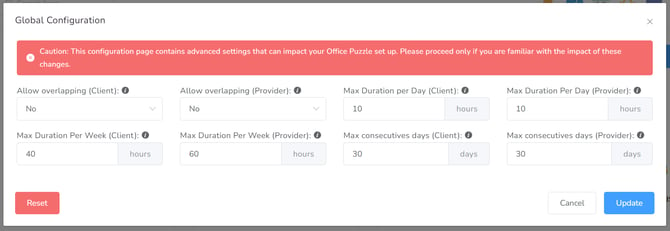
- Allow Overlapping (Client) – Whether this event can overlap with other client events.
- Allow Overlapping (User) – Whether this event can overlap with other user events.
- Max Duration Per Day (Client) – Max Duration of all kinds of events for the same client per day.
- Max Duration Per Day (Provider) – Max Duration of all kinds of events for the same user per day.
- Max Duration Per Week (Client) – Max Duration of all kinds of events for the client on the same week.
- Max Duration Per Week (Provider) – Max Duration of all kinds of events for the user on the same week.
- Max consecutive days (Client) – Max Number of consecutive days with events for the same user.
- Max consecutive days (Provider) – Max Number of consecutive days with events for the same user.
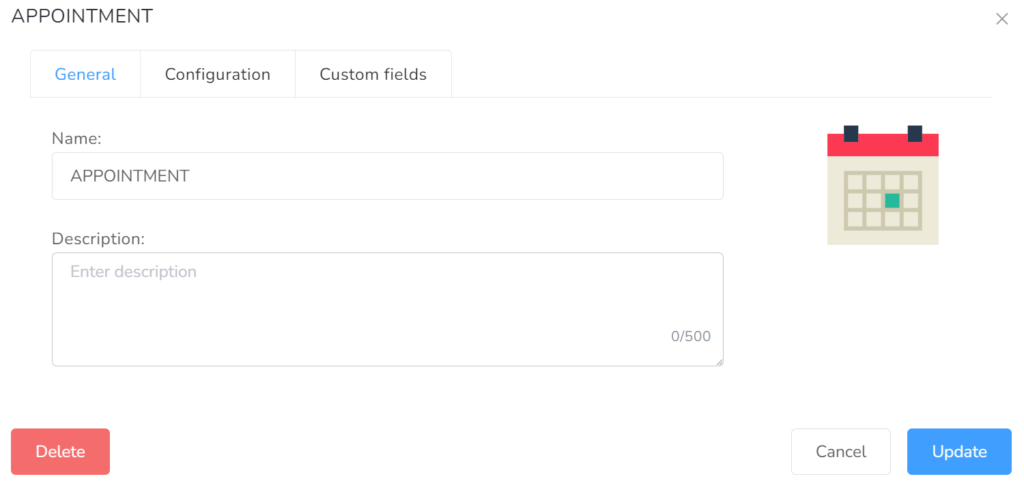
Each event type includes two primary tabs for customization: General and Configuration.
On the General tab, you can type the name of the event as well as a short description of it.
In the Configuration tab within each event, you can modify the fields as needed. Click on the full-screen option in the bottom right corner for the full view.